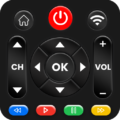
Replacing multiple physical controllers with a single mobile device, Universal Tv Remote-Cast to TV serves as an all-in-one television controller and screen projection tool. It manages essential television functions such as adjusting volume, switching input sources, and changing channels across common television brands. Beyond standard button inputs, the application incorporates wireless media casting directly to the screen alongside support for both modern Wi-Fi networks and traditional infrared hardware.
Connection Methods and Multi-Device Control
The app communicates with televisions through two distinct hardware paths: an internal infrared blaster for older sets or a local Wi-Fi connection for network-connected displays. Users can pair the app with multiple televisions throughout a household, managing different screens from the same mobile interface. The connection process pairs the device in several setup steps without requiring external accessories beyond the phone’s built-in transmission hardware.
Input Modes and Navigation Tools
Standard navigation options are expanded through multiple control schemes designed for convenience. In addition to conventional button layouts, the interface supports gesture navigation, allowing users to browse menus and channels through taps and directional swipes. A voice command feature is also integrated to handle core television commands, while layout preferences can be modified to customize the remote interface to individual viewing habits.
Screen Mirroring and Media Casting
The built-in Cast To TV tool provides wireless screen mirroring from the mobile device to the television display. This functionality projects mobile applications, displays personal photo collections, and streams video feeds directly to the larger screen without physical cable connections. It also interfaces with external audio setups to regulate sound system volume while media is actively playing.


 Step by Step Hairstyle App
 Bayut Egypt - Property Search
 Nawy - Real Estate
 Modiface Haircut:Hair Makeover
 AIReel : AI Video Generator
 Barber Chop
 HD Camera for Android